
Overview
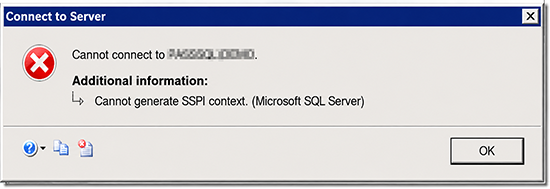
We recently had a customer where Windows logins to a SQL Server Availability Group started throwing “Cannot generate SSPI context” — but only sometimes, and only for some people. The same user, on the same workstation, would fail one minute and connect the next. Applications were fine. Nothing had changed on SQL Server.
It took the better part of two days and a lot of second-guessing to run down, and the culprit turned out to be something most of us never think about: which domain controller handed out the Kerberos ticket.
In the spirit of full disclosure, I burned most of the first day chasing the usual SPN suspects before the real cause showed itself. So let me save you that day.
Here’s what we’ll cover:
- Why a healthy SQL Server starts failing Windows auth for some users and not others
- How to prove it’s the domain controllers, not your SPNs
- The interim fix (no restart) and the permanent one
The Scenario
Two-node Always On AG, Windows authentication, and an intermittent “The target principal name is incorrect. Cannot generate SSPI context.” The pattern that makes you question your sanity:
- Same user, same machine — works, then fails, then works.
- Fails from some client machines, succeeds from others, with no obvious pattern.
- Applications connect fine; only interactive users (SSMS, Visual Studio Code) hit it.
- No failover, no deploy, no SPN changes.
Everything you’d normally check comes back clean. The SPNs are registered correctly. No duplicates. The service account is right on every node. By every test you’ve ever used, this should work — and half the time, it does.
What’s Actually Happening?
Here’s the thing: this isn’t an SPN problem at all. It’s an encryption-type problem, and it’s a delayed gift from the November 2022 Kerberos hardening updates (CVE-2022-37966 / KB5021131).
A quick refresher: When you authenticate to SQL Server over Kerberos, a domain controller hands you a ticket encrypted with the SQL service account’s key. Historically that was RC4. Microsoft has been pushing everyone to AES, and an account can hold keys for both. Which type a DC issues depends on the account’s msDS-SupportedEncryptionTypes attribute.
Before November 2022, DCs would quietly fill in RC4/AES support for any account that hadn’t declared one. That update stopped that. Now, if an account’s msDS-SupportedEncryptionTypes is null — and most service accounts have never had it set — each DC falls back to its own DefaultDomainSupportedEncTypes registry setting, which depends on that DC’s patch level and configuration.
In a shop with more than a couple of DCs patched on different schedules by different hands, that’s the trap: one DC issues AES, another issues RC4. If the account’s AES key happens to be unusable — a salt mismatch, a stale key — the AES tickets fail and the RC4 tickets work. And since a client doesn’t choose its domain controller, whether your connection succeeds is a coin flip. That is your “comes and goes.”
How to Prove It
This is the move that finally cracked it for us, and it’s the first one to reach for next time. Pick a client that fails and one that works, and ask each to fetch a ticket for the same SQL SPN:


klist purge
klist GET MSSQLSvc/sqlnode1.contoso.com
klist
On the working client:
Server: MSSQLSvc/sqlnode1.contoso.com @ CONTOSO.COM
KerbTicket Encryption Type: RSADSI RC4-HMAC(NT)
Kdc Called: DC02.contoso.com
On the failing client — same SPN, same account:
Server: MSSQLSvc/sqlnode1.contoso.com @ CONTOSO.COM
KerbTicket Encryption Type: AES-256-CTS-HMAC-SHA1-96
Kdc Called: DC01.contoso.com
Read that twice. One client got RC4 from DC02 (works), the other got AES from DC01 (fails). The encryption type of the ticket — and the DC that issued it — is the entire story, and no SPN tool will ever show it to you.
While you’re there, confirm what each DC is doing and rule out the things it isn’t:
# account: null enctype + OLD/consistent password rules OUT a recent reset

'DC01','DC02' | ForEach-OBJECT {

Get-ADUser svc_sql -Properties msDS-SupportedEncryptionTypes,pwdLastSet -Server $_ |

Select-OBJECT @{n='DC';e={$_}}, msDS-SupportedEncryptionTypes

}

repadmin /replsummary # 0 failures = not a REPLICATION problem
Null enctype, a consistent (old) password, zero replication failures, and two DCs handing out different ticket types is the fingerprint.
Resolution
There are two fixes, and which you reach for depends on whether you can take a maintenance window.
The no-restart interim fix
Pin the account to RC4 so every DC issues the ticket that already works:
Set-ADUser svc_sql -REPLACE @{'msDS-SupportedEncryptionTypes'=4} # 4 = RC4 ONLYIt’s a settings-only change, it replicates in seconds, and it restores service across the board without touching SQL Server. Now, pinning to RC4 sounds like exactly the wrong direction given that RC4 is what these updates are retiring. And it is, as a permanent answer. But as a bridge, it’s the right call: it’s deterministic, it needs no downtime, and it buys you the window to do the real fix. Don’t leave it there forever, and resist the urge to set RC4-plus-AES (0x1C) — the DC will still prefer the broken AES and you’ll be right back where you started.
The permanent fix
When you can take a brief SQL restart:
- Reset the service account password and restart the SQL Server service. This regenerates a correct AES key that the running service and the DCs agree on.
- Set the account explicitly to AES so every DC issues the same thing:
Set-ADUser svc_sql -REPLACE @{'msDS-SupportedEncryptionTypes'=24} (24 = AES128 + AES256)
- Get your domain controllers consistent — same patch level, same DefaultDomainSupportedEncTypes. This one’s domain-wide hygiene; the same trap is waiting on your other service accounts as RC4 gets disabled.
Gotchas
A few things make this especially nasty on SQL Server:
- NTLM fallback lies to you. Many SQL connections silently fall back to NTLM, so most users “work” while Kerberos is quietly broken. Don’t trust “it connects” — check auth_scheme in sys.dm_exec_connections. The boxes that fail loudest are often locked-down admin jump boxes that can’t fall back, which makes them your honest canary.
- Connection pooling masks it. A reused pooled connection reports whoever opened it. Probe with pooling off.
- It cascades into double-hops. SSRS, linked servers, anything delegated rides on top of this. If the first hop can’t do Kerberos, no amount of delegation config saves you. Don’t go down that road until single-hop Kerberos is solid.
Lessons Learned
- Intermittent SSPI that tracks the source machine or the DC, not the target, is an encryption-type problem — not an SPN problem. Stop editing SPNs.
- klist’s KerbTicket Encryption Type and Kdc Called are the two lines that matter.
- Explicitly set msDS-SupportedEncryptionTypes on your service accounts. Relying on the null default is what turned a dormant issue into a landmine.
- Keep your DCs consistent. Authentication that depends on luck isn’t authentication.
Final Word
The RC4 pin can feel like giving up — you’re deliberately stepping onto the protocol Microsoft is trying to kill. But used the way we used it here, as a no-downtime bridge to a proper AES fix, it’s exactly the right move: it stops the bleeding today and gives you room to do it right on your schedule.
If you’d rather not spend two days proving this out on your own AG, SQL Solutions Group has been untangling SQL Server high-availability and authentication gremlins for years. We’re always glad to help!