
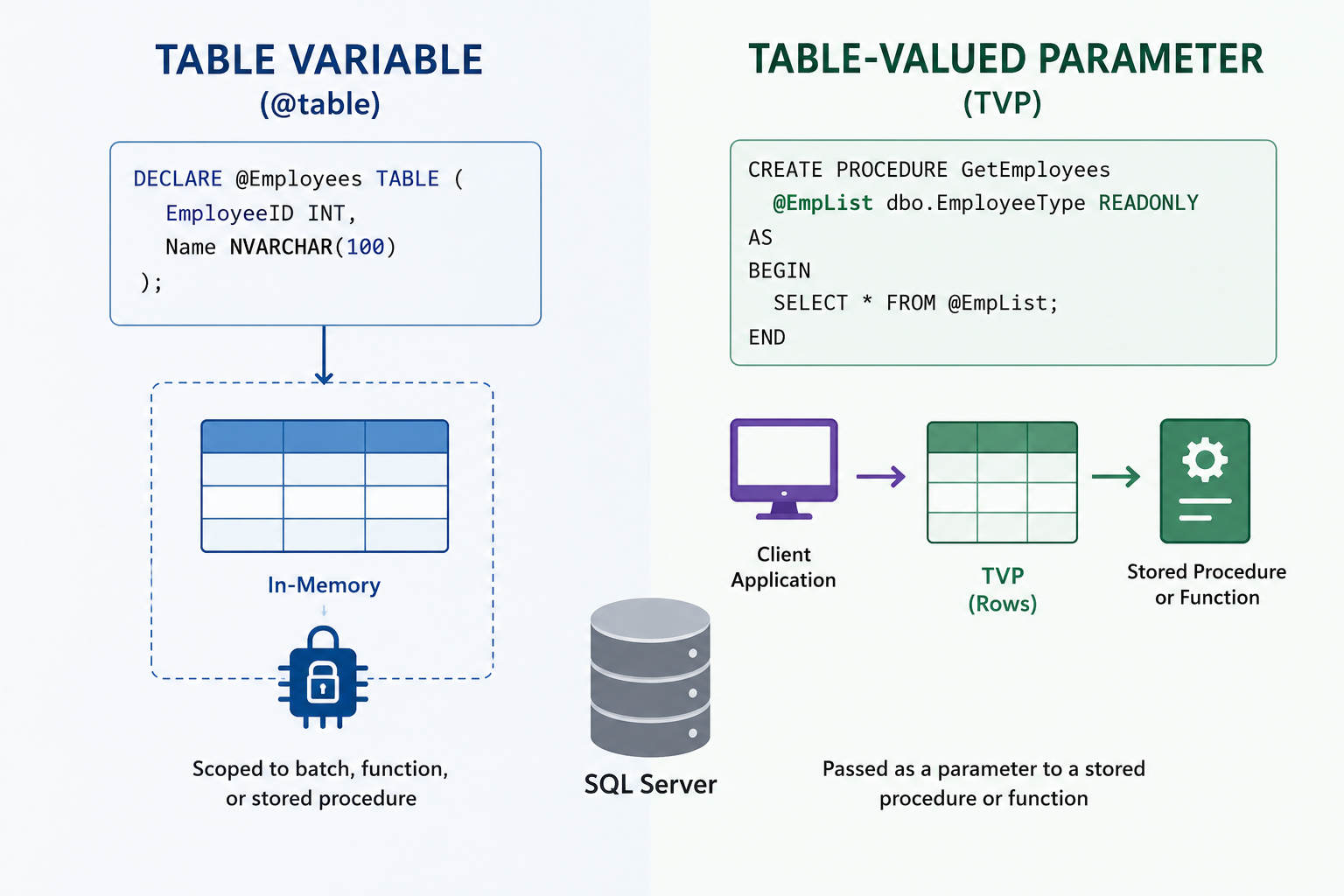
Twice in the last two weeks I’ve been pulled into a “the server is pegged at 100% CPU and we don’t know why” fire drill, and twice the fix turned out to be a single hint on one line of code. Different clients, different applications, different schemas. Same root cause: a table variable — specifically, in both cases, one passed into a stored procedure as a table-valued parameter.
Both teams had already been doing the sensible thing — running UPDATE STATISTICS on the tables involved — and this sort of worked … sometimes, for a while. That “sometimes, for a while” is the tell. When refreshing statistics gives you unpredictable, temporary relief, it usually means statistics were never the real problem.
The Scenario
Picture a stored procedure that runs constantly — a polling job, an ETL step, a queue processor. The application hands it a batch of work as a table-valued parameter, and the proc uses that batch against a big table. Stripped down and anonymized:
-- The table type the TVP is built on
CREATE TYPE dbo.KeyList AS TABLE
(
    KeyId BIGINT PRIMARY KEY
);
GO

CREATE OR ALTER PROC dbo.usp_DoSomething
    @Work dbo.KeyList READONLY      -- some runs pass 12 rows, some pass 40,000
AS
BEGIN
    DELETE t
    FROM dbo.BigEventTable AS t
    JOIN @Work AS w ON w.KeyId = t.KeyId
    WHERE t.CompletedDate IS NOT NULL;
END;
Most of the time it runs in milliseconds. Then, seemingly at random, CPU slams to 100% and stays there, alerts fire off, and somebody connects and runs UPDATE STATISTICS (or restarts the app, or clears the cache). CPU drops. Everybody exhales. Then it happens again.
Here’s the thing: the data didn’t change in any meaningful way, the indexes are fine, and your statistics were never stale. The problem is the @Work table variable and how SQL Server estimates the number of rows in it.
What’s Actually Happening?
Every table variable — whether you DECLARE one locally or receive it as a table-valued parameter — shares one root limitation: it carries no column-level statistics. There’s no histogram telling the optimizer how the values are distributed. It’s flying blind on everything except, at best, the raw row count. And how it estimates that count depends on which flavor you’re using.
Local table variables (DECLARE @x TABLE).
Before SQL Server 2019, the optimizer simply guessed one row, every time. Estimate one row, build a plan for one row — usually a nested loop — then watch it fall over when 40,000 rows show up. SQL Server 2019 at compatibility level 150 improved this with Table Variable Deferred Compilation: it waits until the variable is populated, then compiles using the real count. Genuine improvement — but it sets that estimate once, at first compilation, and caches the plan. It does not recompile every execution.
Table-valued parameters (@x dbo.SomeType READONLY).
This is the flavor that bit my clients. Because a TVP is materialized by the caller before the statement compiles, the optimizer has known the true row count since TVPs shipped in 2008 — they never had the one-row guess. But that accurate count is captured at the first compile and baked into the cached plan, exactly like a sniffed parameter value.
See the common thread? Whichever flavor you use, you land in the same place: a plan compiled for one row count, then reused for a wildly different one.
- The proc first compiles on a run where
@Workholds 12 rows → SQL Server caches a tidy nested-loop plan. - A later run passes 40,000 rows and reuses that cached small-batch plan.
- The nested loop seeks into
dbo.BigEventTable40,000 times, and there’s your CPU.
That also explains the maddening “UPDATE STATISTICS fixed it” experience. The table variable has no statistics to update, so the script wasn’t correcting anything the optimizer uses for @Work. What it was doing — as a side effect — is invalidating the cached plan and forcing a recompile. Land that recompile on a big-batch run and you get a good plan; land it on a small batch and you re-cache the bad one. It’s a coin flip dressed up as a fix.
To confirm it, pull the actual execution plan and look at the operator reading the table variable. If Estimated Number of Rows is wildly smaller than Actual (literally 1 on a pre-2019 local variable, or the stale first-compile count on a TVP), you’ve found it. On a busy server, Query Store will usually be flagging the same statement as a top CPU consumer with more than one plan on file.
The Fix: One Line
Append a statement-level hint:
DELETE t
FROM dbo.BigEventTable AS t
JOIN @Work AS w ON w.KeyId = t.KeyId
WHERE t.CompletedDate IS NOT NULL
OPTION (RECOMPILE);
OPTION (RECOMPILE) tells SQL Server to recompile just this statement, on every execution, using the actual row count of @Work at that moment. Twelve rows tonight, forty thousand tomorrow — it builds the right plan each time. It’s the reliable, deterministic version of the recompile your UPDATE STATISTICS script was triggering by accident, and it works the same for a local table variable or a TVP.
What makes it the right first move: it’s surgical (scoped to one statement — the rest of the proc’s plan stays cached), it’s logic-neutral (you’re changing how the statement compiles, not what it does, which makes it an easy sell on vendor code), and the per-execution compile cost is trivial next to a runaway nested loop pinning every core. In both of my recent cases, CPU dropped from sustained 90%-plus back to normal within minutes — no index rebuild, no schema change, no restart.
“So Should I Just Use a Temp Table?”
Often, yes. A temporary table (#Work) carries real statistics — including a histogram — and participates in normal recompilation thresholds, fixing the estimate at the source. If the batch is genuinely variable and feeds joins against big tables, a #temp table is frequently the better long-term answer; a common pattern is to copy a TVP into a #temp at the top of the proc precisely so the optimizer gets real statistics. So why reach for the hint first? Because it’s the smallest possible change. When I’m putting out a fire on someone else’s code at 11 PM, “add one line” beats “refactor the procedure.” Ship the hint to stop the bleeding, then propose the temp-table refactor as the permanent fix.
Gotchas
- It’s per-execution. If the statement runs hundreds of times per second, the cumulative compile cost can become its own problem. For a periodic batch or polling job it’s a non-issue; for a hot OLTP path, prefer the temp-table route.
- Keep functions off your join columns. In one case the join also wrapped the key in
ABS()—ON ABS(w.KeyId) = t.KeyId. A function on the column is non-SARGable and kills index seeks. Fixing the estimate solved the CPU, but that was a second sin worth cleaning up. - Don’t confuse it with
WITH RECOMPILEon the procedure. Statement-levelOPTION (RECOMPILE)recompiles one statement (and can use actual parameter values too); procedure-levelWITH RECOMPILEthrows away the entire plan on every call.
Lessons Learned
- When
UPDATE STATISTICSgives you unreliable, temporary relief, stop updating statistics and ask why a recompile helps. The answer is often a table variable or a TVP. - Neither carries column statistics. Local variables misestimate the count (one-row guess pre-2019; cached first estimate after); TVPs get the count right but cache it from the first call. Different routes, same cliff.
- Reserve both for what they’re good at — small, predictable row counts and passing modest sets between tiers. The moment one carries thousands of rows into a join against a big table, it’s the wrong tool; copy it into a temp table.
The Final Word
This is why DBAs get twitchy about table variables and TVPs. They’re not evil — they’re a fine, lightweight choice for small sets, and I use them all the time. But they quietly lie to the optimizer about what they hold, and on a busy system that lie eventually gets expensive. Use them judiciously, know how many rows you expect them to carry, and when one surprises you with a CPU spike that statistics won’t fix, you now know where to look — and that the fix might be one line long.
Chasing an intermittent CPU problem that “fixes itself” and then comes right back? SQL Solutions Group has spent years running these down for clients — we’re happy to help you find the one line of code that’s lighting up your server.