
“Is anyone still using this database?” I have been asked this question a surprising number of times lately. The answer can be trickier to find than you would think, because, by default, SQL Server doesn’t keep track. But there is a way to find stagnant databases.
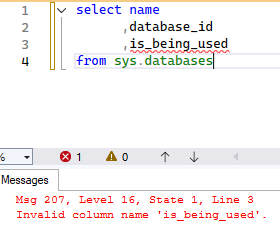
Worth a shot.
Getting the latest user activity from a DMV
If you have configured monitoring, auditing, or extended events to capture this information, then you’ve lucked out. Otherwise, your easiest option is to go looking in sys.dm_db_index_usage_stats. This is a DMV that retains information about index operations, such as the last time a user seek was performed. Just keep in mind that most DMVs reset after SQL Server is restarted.
sys.dm_db_index_usage_stats on its own has all the information we need to check for user activity, but will only contain records for databases that have had activity since the last SQL Server restart. Since the point is to find databases with no recent activity, you will want to bring in sys.databases as well.


SELECT d.name

,MAX(i.last_user_lookup) last_user_lookup

,MAX(i.last_user_scan) last_user_scan

,MAX(i.last_user_seek) last_user_seek

,MAX(i.last_user_update) last_user_update

FROM sys.databases d LEFT join sys.dm_db_index_usage_stats i ON d.database_id = i.database_id

WHERE d.database_id > 4

GROUP BY d.name
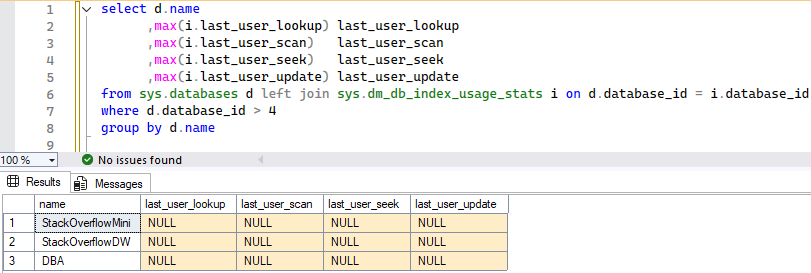
None of my user databases have had any user activity since the SQL Server service was last restarted, so let’s generate some activity.
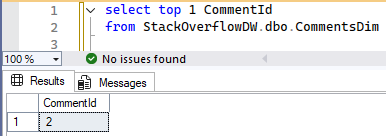
Now let’s check the DMV again.
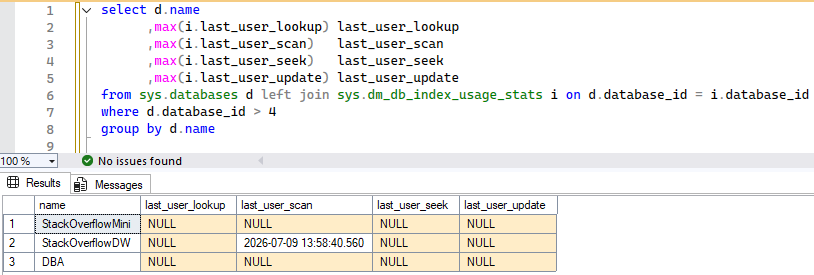
There is our proof that the StackOverflowDW database is at least being queried, so we will want to do some more investigation to find out who or what is accessing the database.
A More Resilient Method
If it has been weeks or months since the SQL Server service has been restarted, then this would be a good indication that the StackOverflowMini and DBA databases are stagnant, while StackOverflowDW is active. But what if your servers are regularly restarted, planned or otherwise? Then you should set up a more resilient method for tracking this info.
If you are content with this data, it is easy enough to set up a SQL Agent job to persist it to a table. It is an easy-to-read dataset that is scoped to the server level, so you don’t need to query each individual database.
First, create the table. I am just going to use the master database.
USE master

CREATE TABLE LastUserActivity

(

database_name NVARCHAR(100)

,last_user_lookup DATETIME null

,last_user_scan DATETIME null

,last_user_seek DATETIME null

,last_user_update DATETIME null

,insert_date DATETIME DEFAULT GETDATE()

)
Then create a SQL Agent job to execute the query and load the results to your new LastUserActivity table. Make sure to add a cleanup step so the table size doesn’t get out of control.
INSERT INTO LastUserActivity

(

database_name

,last_user_lookup

,last_user_scan

,last_user_seek

,last_user_update

)

SELECT d.name

,MAX(i.last_user_lookup) last_user_lookup

,MAX(i.last_user_scan) last_user_scan

,MAX(i.last_user_seek) last_user_seek

,MAX(i.last_user_update) last_user_update

FROM sys.databases d LEFT join sys.dm_db_index_usage_stats i ON d.database_id = i.database_id

WHERE d.database_id > 4

GROUP BY d.name

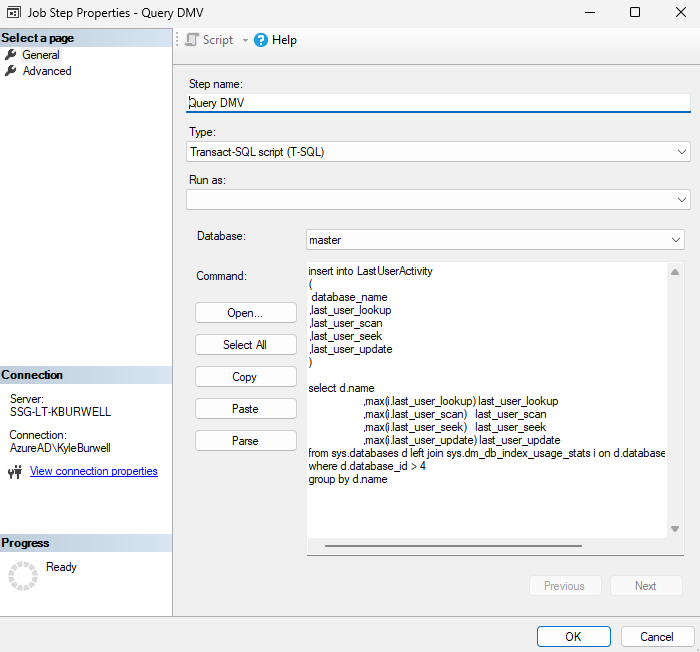
Schedule the job to run as frequently as you would like. Running daily should be more than sufficient.
SELECT database_name

,last_user_lookup

,last_user_scan

,last_user_seek

,last_user_update

,insert_date

FROM master.dbo.LastUserActivity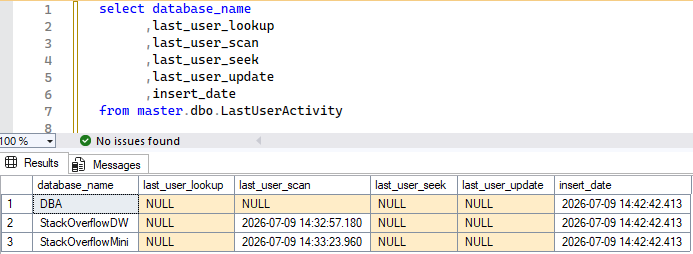
You’ve Done It
Now you will always have a small dataset with the latest activity for each database, making it much easier to find stagnant databases.